
Custom Mortgage Journeys
Overview:
Brokeredge allows you to create and modify custom stages within a mortgage journey, giving you greater control over your workflow and automation.
The first step to using Custom Mortgage Stages is to go to your "my Settings" and scroll down and turn the toggle on for "Use Custom Mortgages"

How to Customize Mortgage Journey Stages:
- Import Standard Stages:
- Stages will automatically be created for you and tied to the submission platform stages. So that when the submission platform stage changes, your custom stage will automatically update too.
- A new "Custom Mortgage Journey" view will also be created for you with all of these stages.
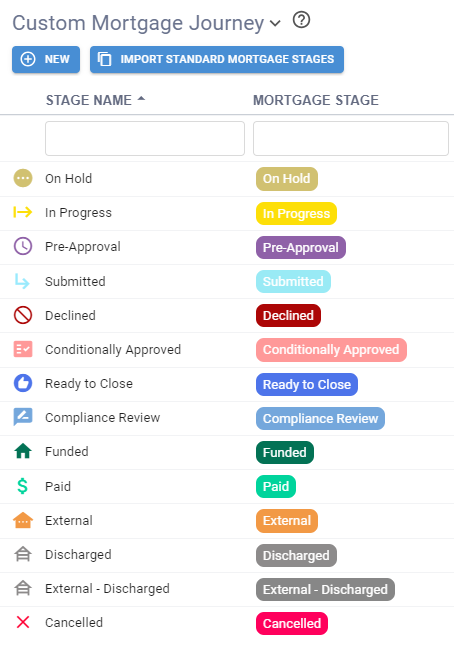
2. Customize the Stages:
- You can rename existing stages, add new stages, or rearrange them to better fit your process.
- For example, you might rename “Conditionally Approved” to “Approved” or insert a new stage between two existing ones.
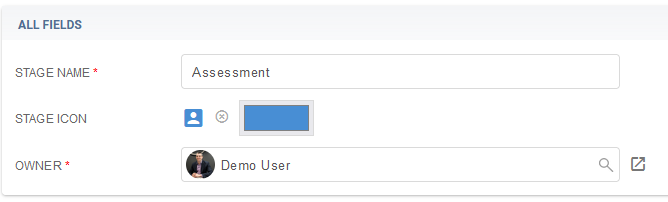
3. Automate Stages:
- When setting up automated emails or tasks, use the custom mortgage journey stages instead of the default stages to trigger actions.
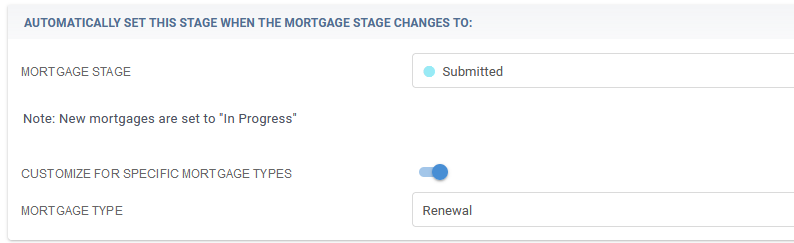
4. Save Changes:
- Ensure your changes are saved so that future deals automatically adopt your custom journey.
