
How to Connect to Velocity
The Velocity connection requires a connection to the API and to set up resthooks on your Velocity account. Resthooks will trigger immediately when a stage changes and trigger the system to pull all deal data via the API.
Velocity API
Click here to go to your Velocity login page and then follow these steps. Note, if you already have an active Velocity API Key, you can use the same one for Brokeredge. Just copy that key rather than generate a new one.
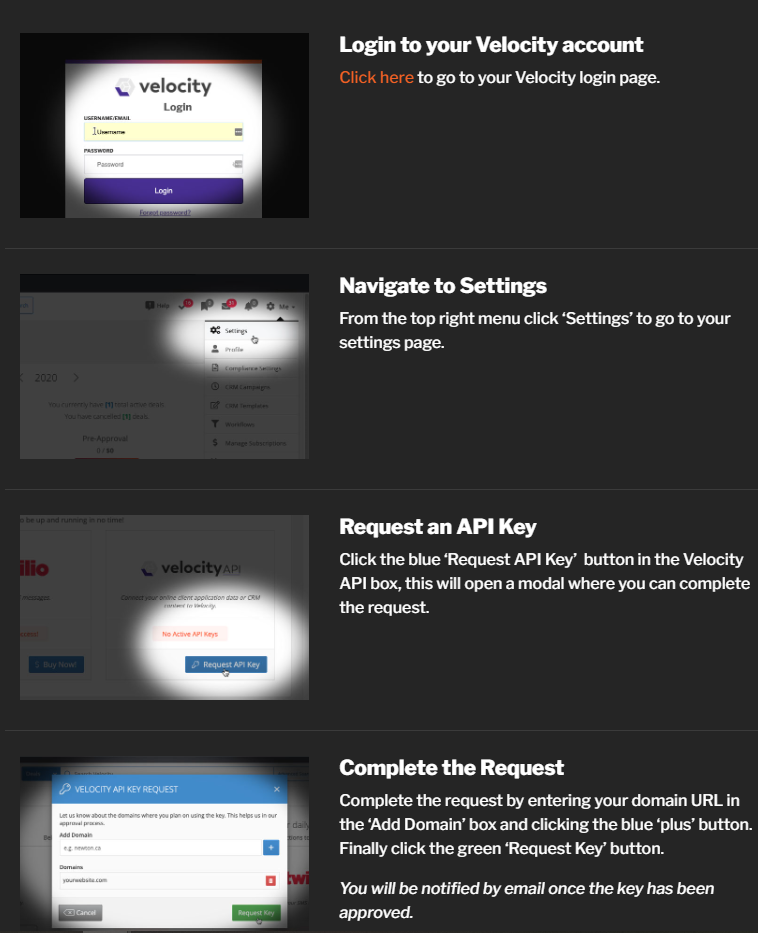
When prompted, use crm.brokeredge.ca as the url.
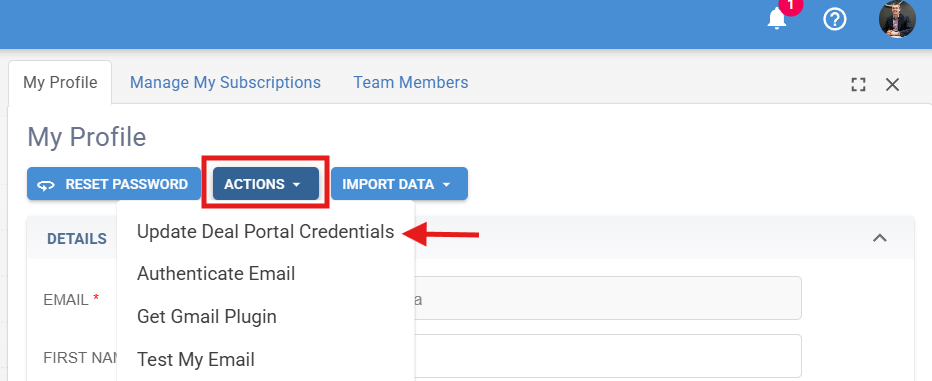
You will get an email from Velocity team once they are active. Copy just the API key from Velocity and Paste the API key in the Deal Portal Credentials by going to:
My Profile > Actions > Update Portal Credentials
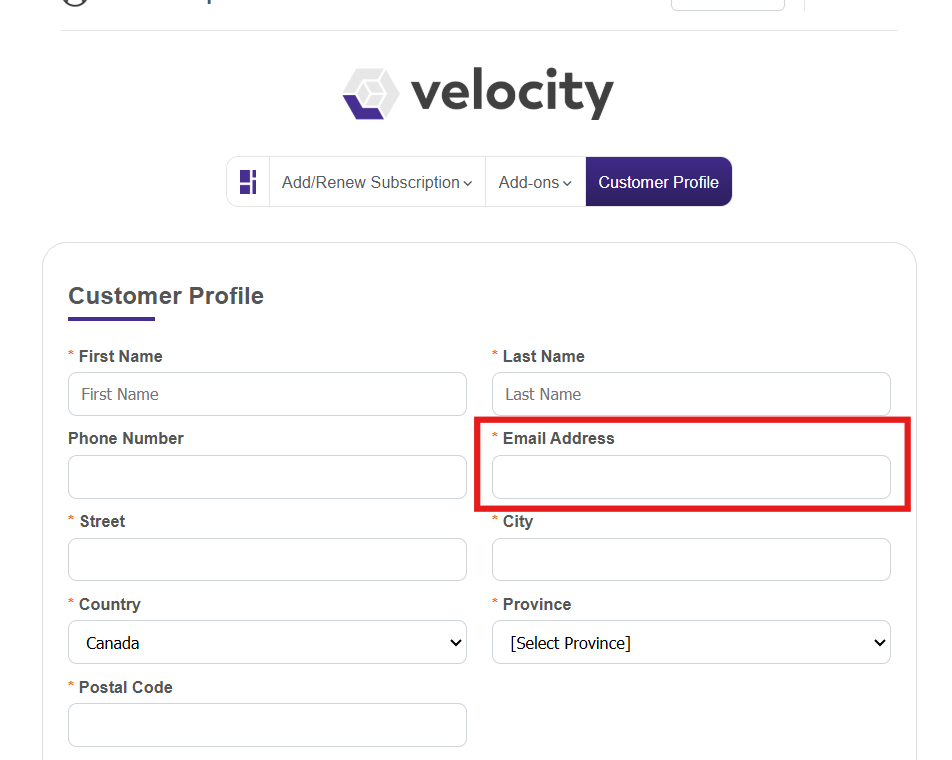
*Please make sure the email we have in Deal Portal Credentials matches your email in Velocity, here:
Velocity Webhook
In order to get real-time data from Velocity, please set up the Brokeredge Webhook on your Velocity portal. To do so, follow these steps:
1. Log in to Velocity and go to your Settings page and navigate to the Webhooks section:
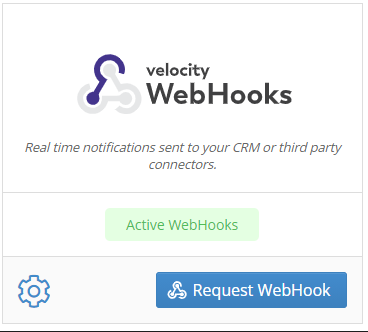
2. Hit Request Webhook, then enter the following URL in the "Callback URL" section and hit Save.
(url would be provided as apart of the onboarding prompted steps. Contact support@brokeredge.ca if you cannot locate them)
Be sure to check the boxes for both Deal Created and All Deal Status Updates.
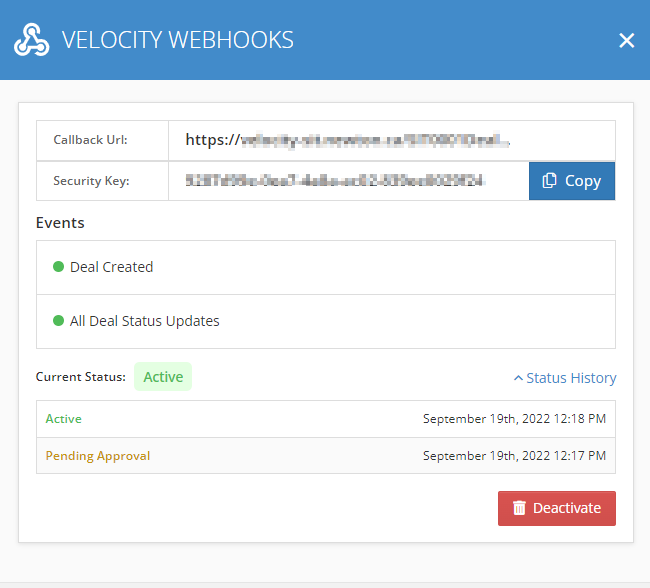
Note: if you get an error on the webhook, wait a few hours and try again. If the error persists for longer than 1 day, then contact support@brokeredge.ca for assistance.