
Understanding Commission Income Statuses in Brokeredge
Overview:
Brokeredge categorizes income into several statuses to help you monitor, confirm, and reconcile payments. Understanding these statuses is key to managing your income effectively.
Commission Statuses Explained:

- Pending Income:
- Projection: Automatically created when a mortgage reaches the Outstanding Conditions stage.
- Calculation:
- Gross Income: Based on mortgage type, lender rate, and mortgage amount.
- Payment Date: Determined by the closing date and the lender’s payment days.
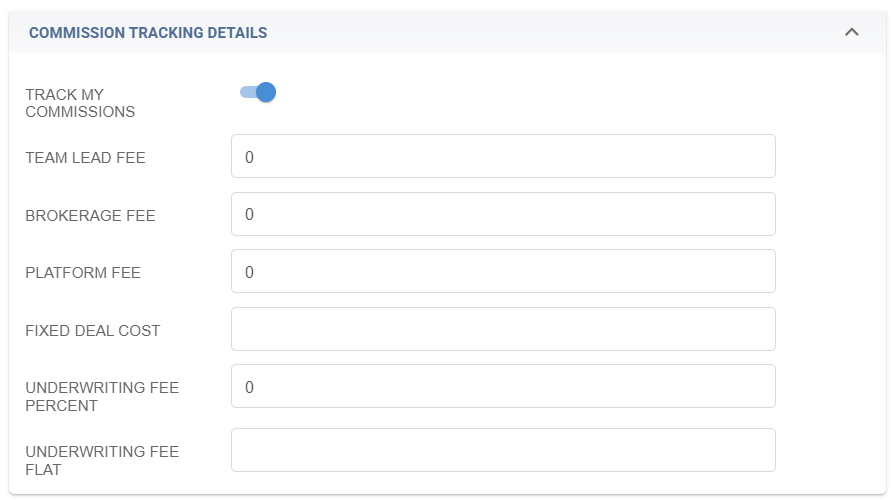
- Net Income: Calculated by deducting standard fees mapped in your Profile.
- Customization:
- Lender amounts can be updated on the Lenders tab.
-
Internal fees can be modified on your Profile page.
Overdue Income:
- Automatically updates to Overdue once the expected payment date has passed.
-
Alerts are provided to prompt you to review overdue income.
Confirmed Commission:
- Can be established by:
- Entering a new income entry with Confirmed status.
- Uploading confirmed income via the upload feature.
- Marking an existing pending income entry as Confirmed.
- Reconciliation:
- The system compares confirmed income with pending income.
-
If the confirmed amount is less than expected, the status will change to Received - Not Reconciled.
Received - Not Reconciled:
- Indicates that the confirmed income is lower than the expected amount.
- This status highlights the discrepancy so you can verify its accuracy.
- You have the option to leave the income in this status or mark it as confirmed after review.