
Sequential Tasks
Sequential tasks are used to trigger a new task once another is complete.
Here's how to create one:
1. Create an automated task. This will be the first task in the sequence. Once the automated task is complete, it will trigger the subsequent tasks to fire. It's a good idea to call the subject "1 - ....", this way you know it's first in the sequence.
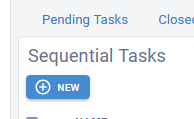
2. Create your sequential task. by hitting the "New" button:
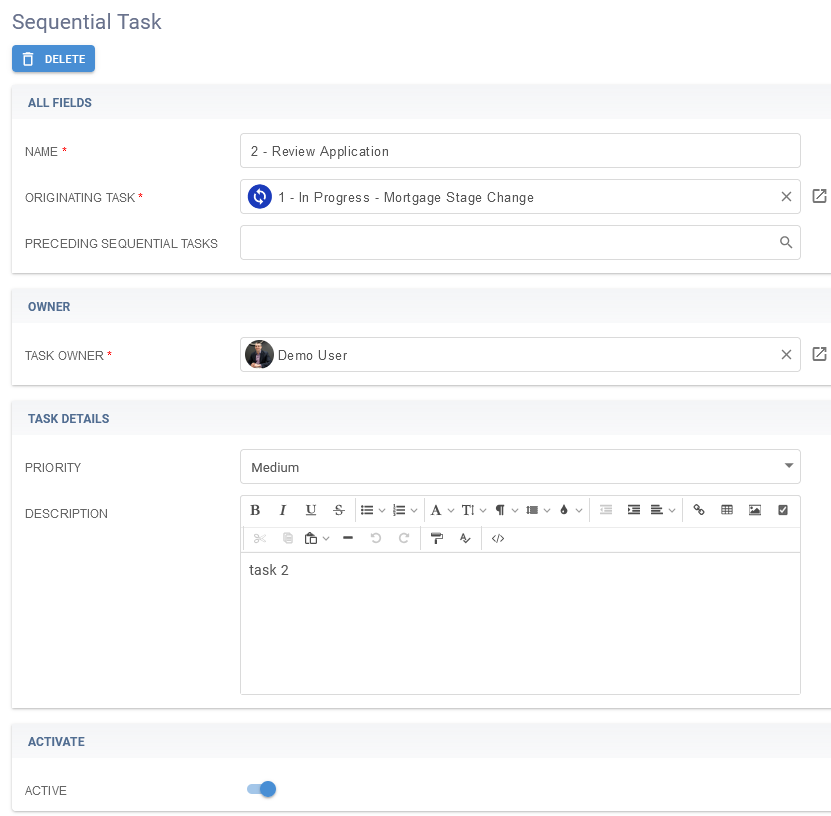
3. Name it something like "2 - ..." and select the automated task from step 1 as the "Originating Task", then fill in the rest of the task details and set it to Active = true.
To create a task that fires after this sequential task, follow the same steps as 2 and 3 above, but this time, also select the "Preceding Sequential Task" as the last one you just created.
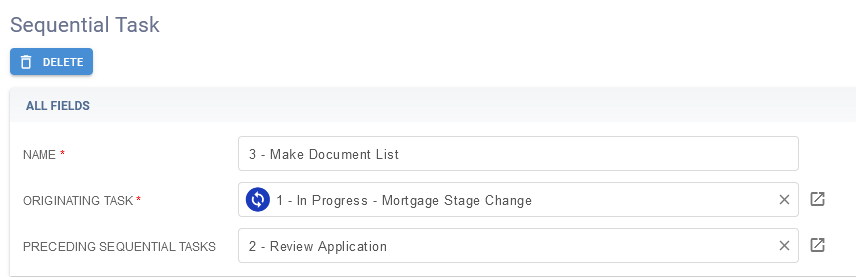
This third task will now create once the 1st and 2nd are both completed.